
Absence Management Software Easily manage leave and remote work
From leave entry to remote work management, including approval workflows and tracking balances, mpleo supports you in the daily management of absences with a reliable, intuitive tool perfectly integrated into your HRIS.
A absence management software serving your HR needs

Reliability
Centralize and secure the management of absences and remote work with customizable rules and automated workflows. You ensure data reliability and reduce processing errors, especially in payroll.

Visibility
Provide employees, managers, and HR with a clear and shared view of absences, counters, and team calendars, in real time.

Compliance
Simply apply legal and internal rules (leave, remote work, specific absences) and secure your practices with complete traceability.
Leave and Remote Work: How to Manage Absences with mpleo?
Discover the key features of the mpleo absence management software to ease the administrative burden associated with leave and remote work.
Entry and Validation of Leave and Absences
With the absence management software mpleo, employees submit their leave and absence requests directly from their personal dashboard. They enter a period in line with the rules set in their employment contract (full day, morning, afternoon, or even by the hour), access their balances in real-time (paid leave, RTT, seniority, compensatory time, etc.), and track the progress of their requests. Managers receive immediate notifications. They manage their team’s requests from their dashboard with a clear view of the status (pending, approved, declined) and a complete history.

An absence management software that integrates remote work
The mpleo absence management software helps structure and regulate remote work according to your organization’s policies:
- number of days allowed per week,
- notice periods,
- occasional or regular remote work,
- eligible groups,
- mandatory or automatic approval…
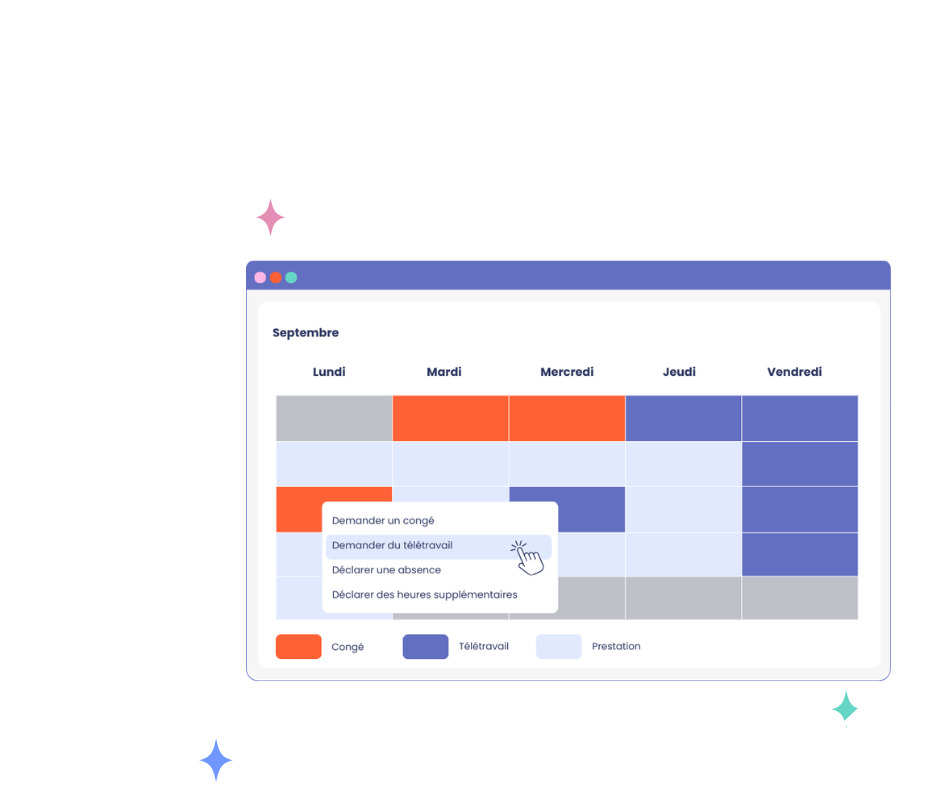
Employees can easily log their remote work days from their calendar, while managers have a consolidated view to monitor their teams’ work organization.

Shared Calendars and Team Visibility
Absences, leave, and remote work days automatically update mpleo calendars for HR, managers, and employees. Each user accesses a view tailored to their role:
- Employees can check their own schedule and access an overview of the organization’s calendar while maintaining the confidentiality of absence reasons,
- Managers see their teams’ availability,
- HR has a detailed view of all employees’ schedules.
These shared calendars simplify planning, ensure business continuity, and enhance team coordination. They can also be synced with email and calendar tools (Outlook, external calendars) for up-to-date and daily accessible information.


A absence management software to streamline the management of leave and remote work
Explore all the features of the mpleo absence management software.
The counters are updated automatically and can be accessed at any time by each team member and their manager.
Follow absenteeism, identify trends, and have reliable indicators to anticipate organizational impacts.
Access a comprehensive history of absences (sickness, leave) in a dedicated dashboard and verify the presence of supporting documents when required.
Define the automatic calculation rules for leave and absence counters according to the relevant groups.
Tailor approval processes to your company’s rules and each stakeholder’s responsibilities. All approvals are securely logged and tracked, with the option to delegate in case a manager is absent.
Automatically apply the official public holidays of the relevant country using a built‑in library, and configure company‑wide closures (e.g., year‑end shutdown).
Rules can be adjusted according to your internal agreements.
Absence data is automatically transferred to your payroll solution, reducing manual re‑entries, minimizing the risk of errors, and securing payroll processing.
Streamline Team Organization with mpleo’s Absence Management Software
Discover how mpleo’s absence management software automates and secures the tracking of absences and remote work, enabling you to focus on workforce planning and HR performance.
FAQ – Absence Management Software
An absence management software centralizes the entry, approval, and tracking of leave, absences, and remote work days. It ensures reliable HR data and streamlines processes for all users.
Unlike Excel, an absence management software automates management rules, secures approval workflows, and provides full traceability of all requests.
It centralizes all leave, absence, and remote work requests in a single tool accessible to employees, managers, and HR teams.
Managers benefit from real‑time visibility into their teams’ schedules, helping them organize workloads and anticipate peak or sensitive periods.
For HR, data is more reliable, consolidated, and synchronized with payroll, reducing manual entries, limiting errors, and securing payroll processes.
Yes. An absence management software should allow you to manage remote work based on company-defined rules: authorized days, limits, approval processes, and calendar visibility.
Yes. The mpleo absence management software integrates with major payroll systems to transfer absence and remote work data.
This synchronization reduces manual input, ensures data accuracy, secures payroll processing, and maintains consistency across all HR information.